


Trading and bartering are both huge parts of Baldur’s Gate 3. Traders often carry many items that you will require at some point or another during your travels, and they are also often a terrific source of rare gear, scrolls, and weapons. However, if you have found yourself trying to barter with a trader in Baldur’s Gate 3, then you might have come across the issue of trying to split your items.
In particular, you will most often try to split your gold to make a trade balance. If the trader has an item worth 100 gold and you only put up items worth 50 gold, then you need to add around 50 gold to make the trade go through. Of course, that will almost always require you to split the gold you currently have in your inventory.
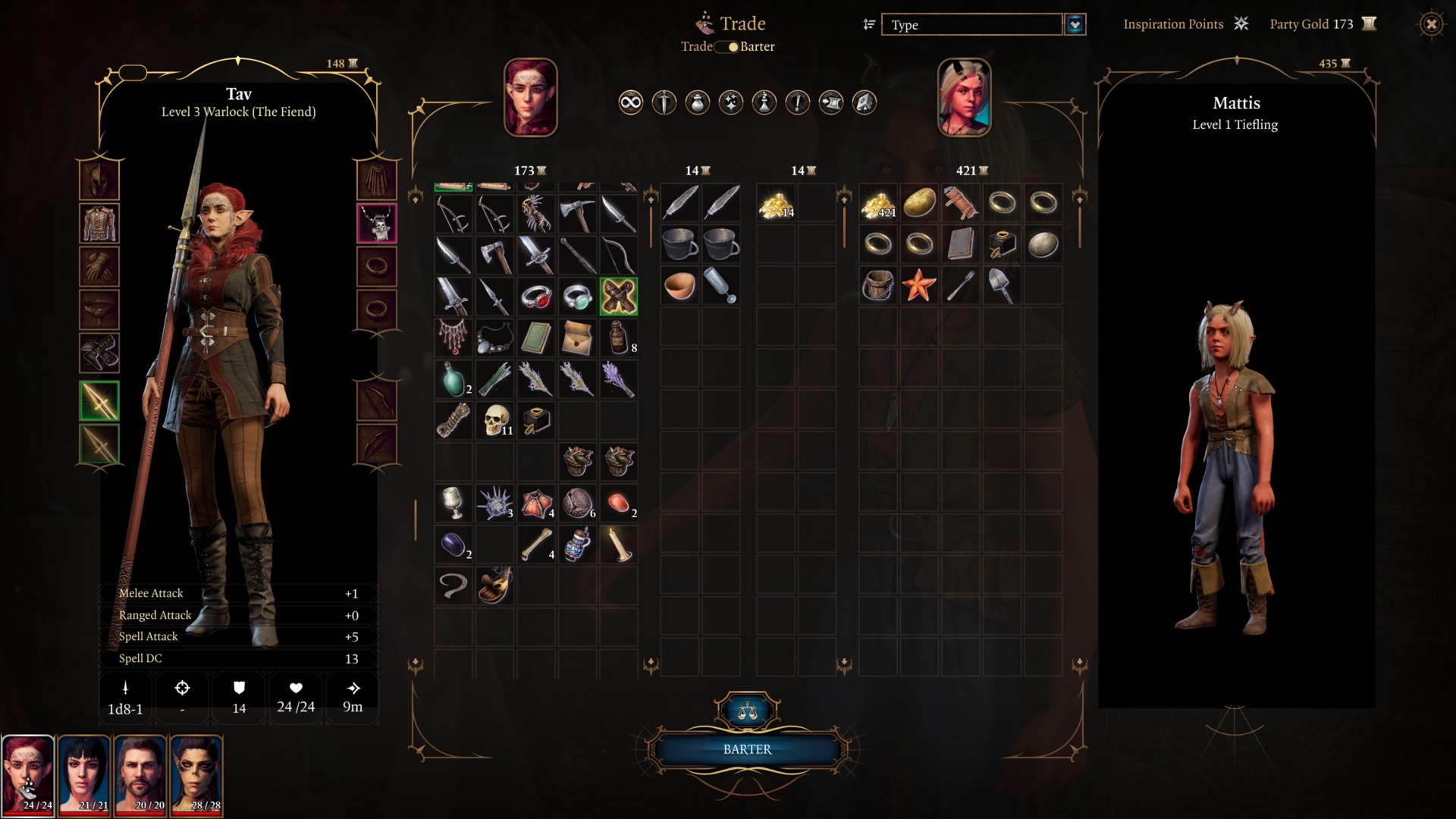
Split items in your inventory in Baldur’s Gate 3
My first experience with trying to split items resulted in nothing being done. I was at a barter menu with a trader and was trying to split my gold in half to trade for a nice weapon that complemented my build. However, when I went to right-click on my gold, pressed “Split Items,” and then inputted how much gold I wanted to split on the slider, nothing happened.
This is because when you are on a barter screen, you actually need to double-click on the item you want to split. This will bring up the split slider, and you can slide your arrow to whatever number you want. Once you’re done, press “Confirm” and the gold will be placed on your side of the barter menu.
Related: How many endings are there in Baldur’s Gate 3?
You can do this with any item in Baldur’s Gate 3 when bartering. For whatever reason, though, when you’re not on a bartering screen, you can right-click on an item, press “Split Items,” and it will work just fine. So, just remember you need to double-click on item when trying to split items for a trade.







Published: Sep 3, 2023 12:00 pm